
Your P-Day Emails dashboard can now go dark
If you open P-Day Emails at night, a bright dashboard can feel like turning on every light in the house.
That is why we added Dark Mode.
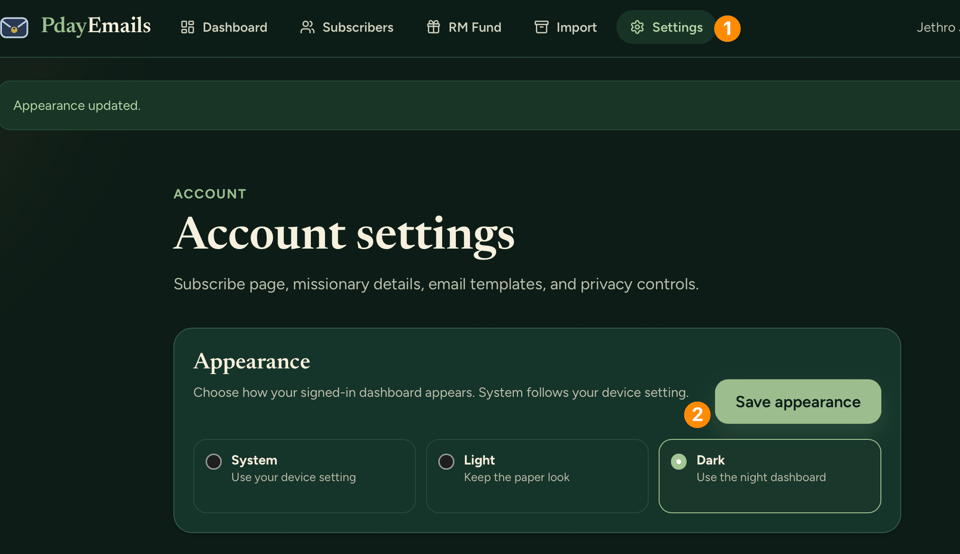
You can now choose how your signed-in P-Day Emails dashboard looks:
System follows your phone or computer setting.
Light keeps the paper look.
Dark gives you the night dashboard.
Go to Settings → Appearance, choose the one you want, and save it. Your choice stays with your account.
This is available for paid P-Day Emails accounts.
Choose your dashboard appearance
P.S. This changes the dashboard you use; your missionary’s letters and family emails stay focused on the message.
Don't miss what's next. Subscribe to P-Day Emails - share missionary experiences flawlessly: